Free
Browse the library
€0/mo
200 credits
- The library, open to read
- Every free indicator in full
- 200 Oracle credits, one-time
- Reads and the Forge start at Pro
Share a chart. Get the read across every timeframe the desk measures, then forge the indicator that marks it — in Pine, with a repaint gate to run before you trust it.
Education first · never financial advice
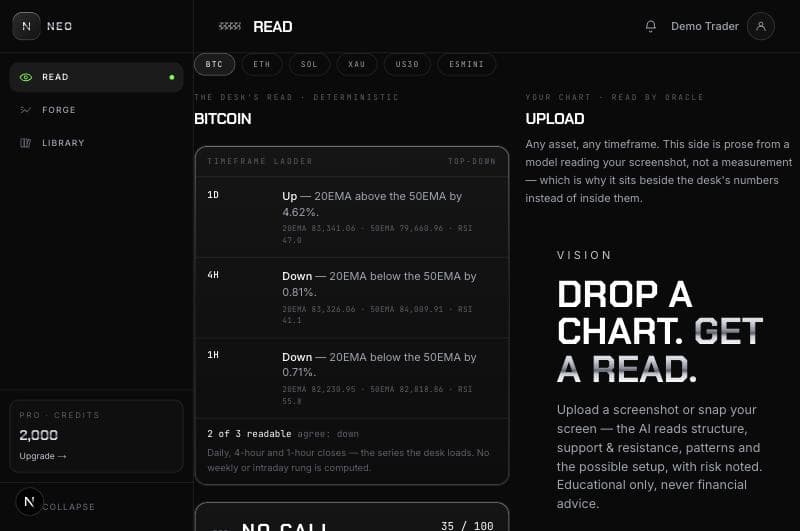
Surface 01
One asset, several timeframes. A ladder from the daily down to the trigger, each rung with its own bias and the measurement behind it. A timeframe the desk could not read says so — it is never folded into neutral.
Read a chart→Surface 02
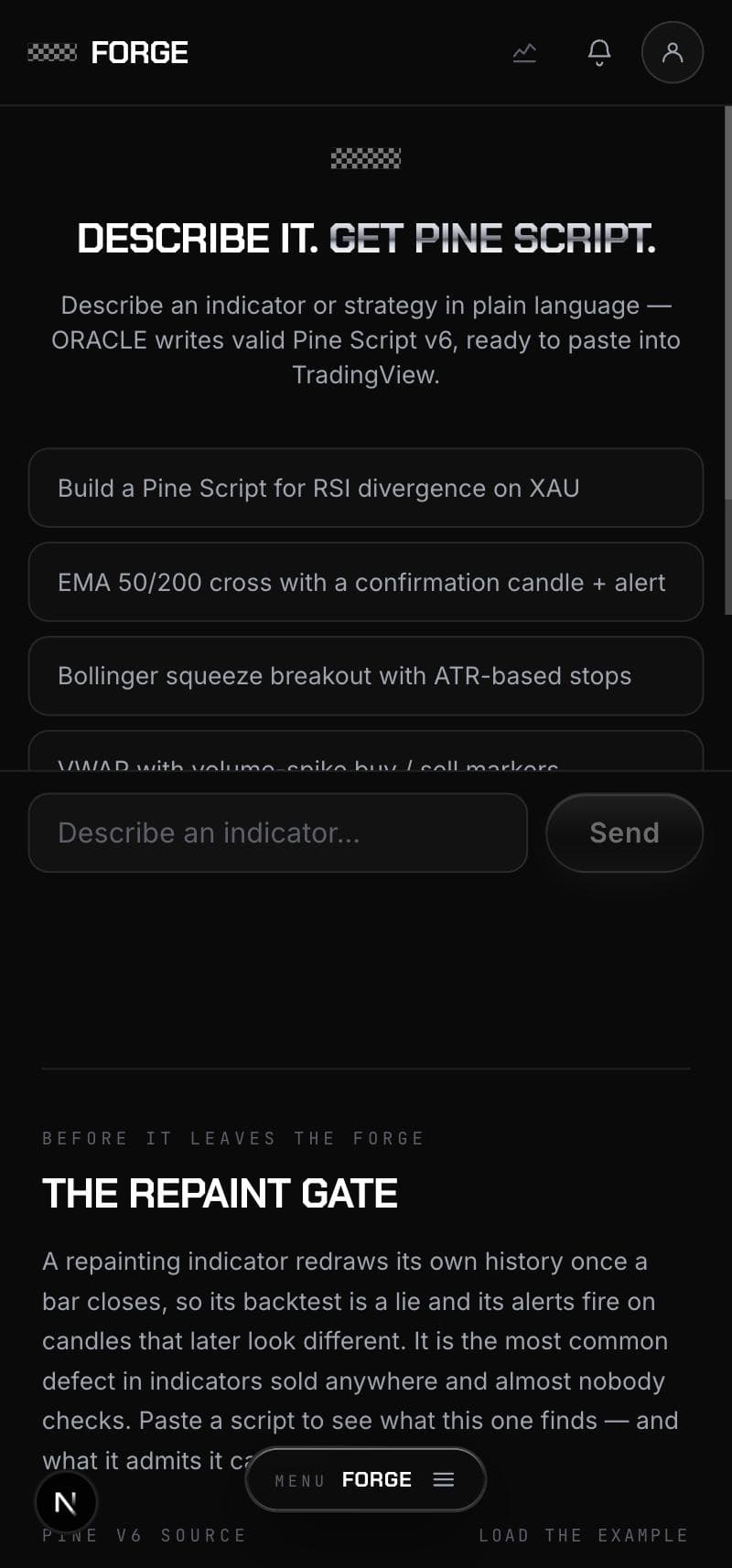
Describe the indicator in your own words and get Pine v6 back, then put it through eleven repaint rules. Anything they cannot resolve blocks publication too, because unknown is not clean.
Open the Forge→Surface 03
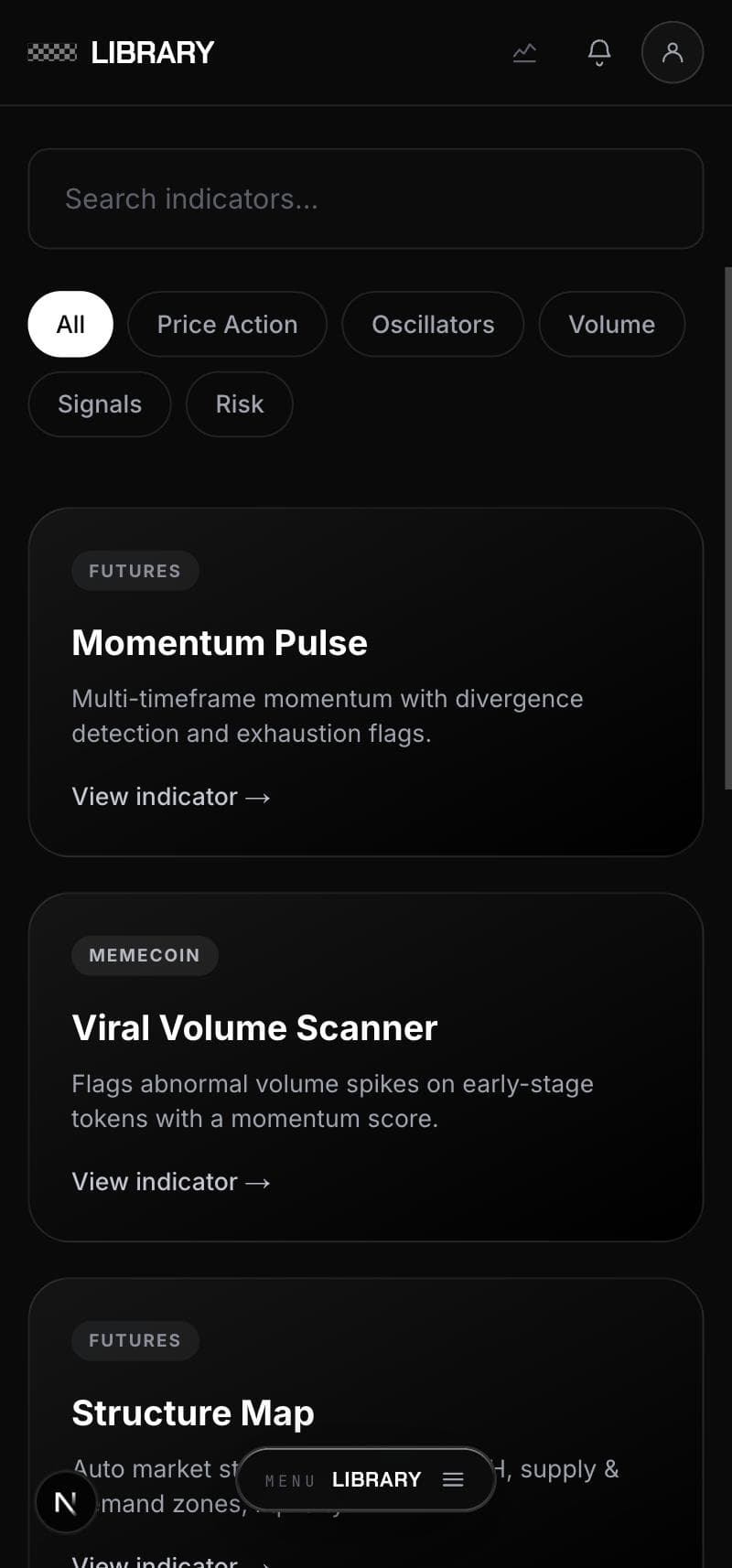
8 indicators, each with what it actually computes, the signals to look for on the chart, the inputs you will end up touching and what it is best for. Open to read without an account.
See the library→The part nobody else has
A read describes the setup in plain words, and plain words are exactly what the Forge takes as input. That is what joins a chart reader and an indicator engine into one product instead of two tools sharing a login — what you just read is already the brief.
From the 15m read
Mark a liquidity sweep: a wick that takes out the prior swing low and closes back above it. Only count it when MFI(14) was under 20 on the sweep bar.
Not a mockup
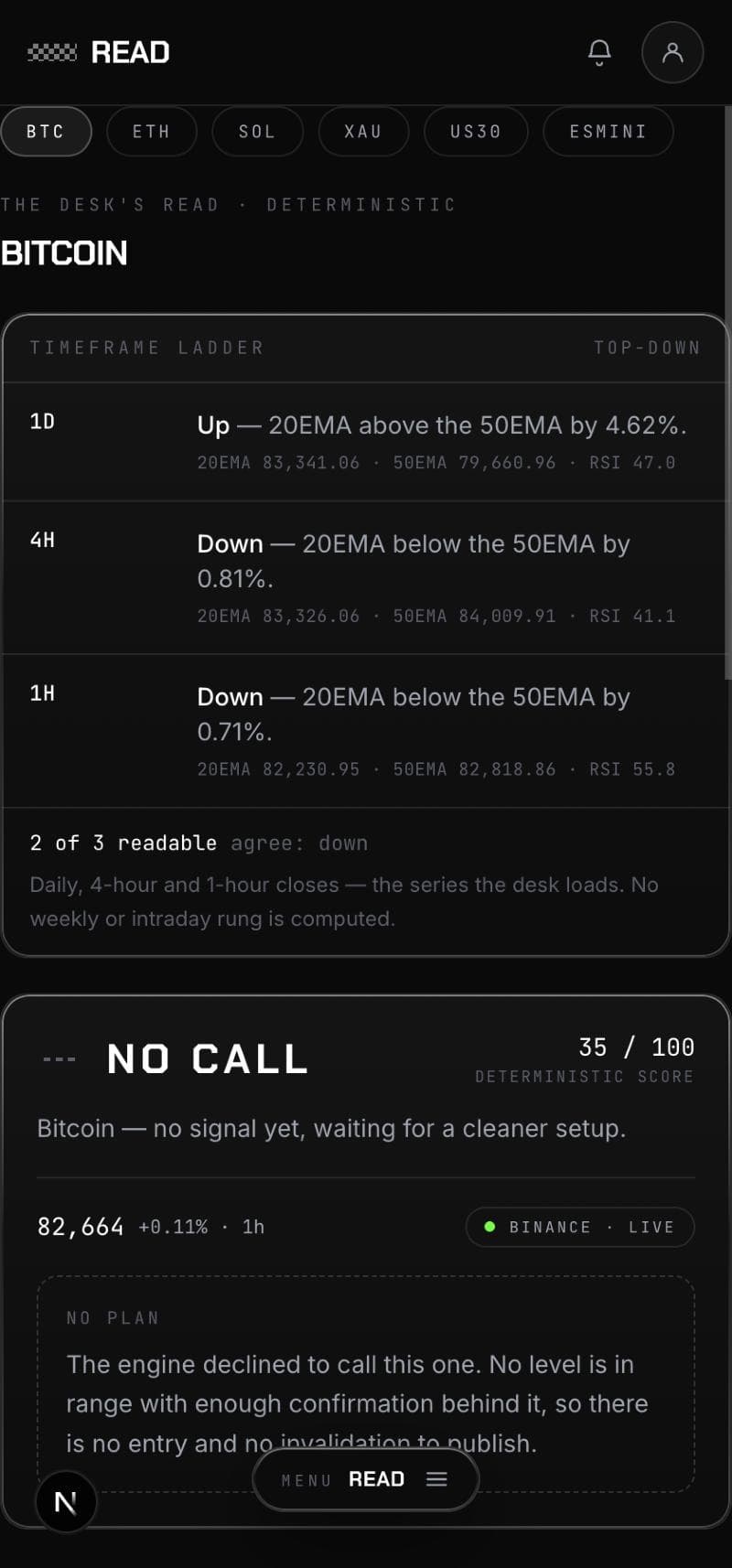
Every screen below is a capture of the running app on a phone, taken the day this page was written. Nothing here was drawn for the page, and the numbers are the ones the engine produced that morning.
Step 01
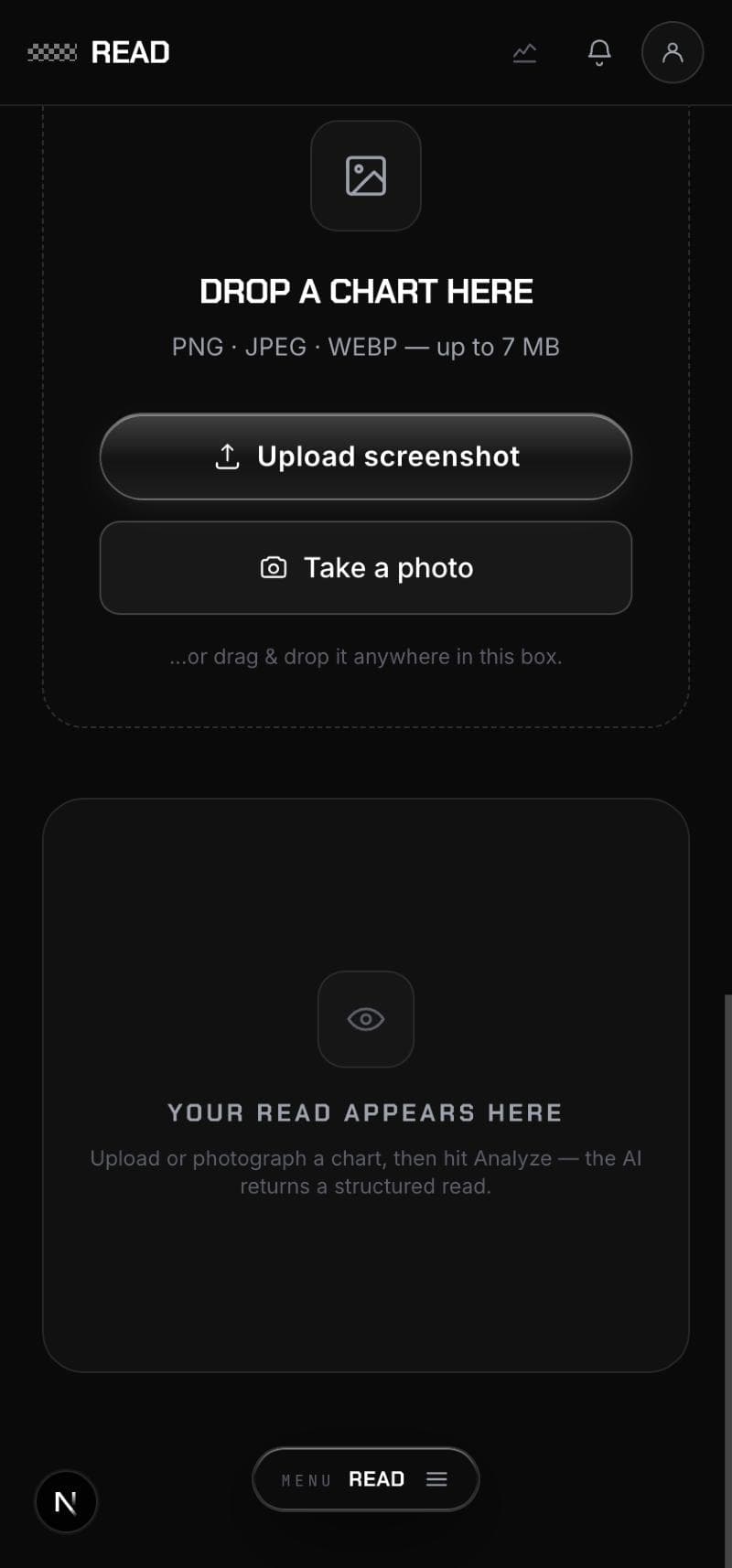
Share a screenshot from any app, upload one, or photograph the screen in front of you. Seven megabytes, PNG or JPEG or WEBP. On a phone the share sheet is the shortest path and needs no upload step at all.
Step 02
Beside your chart sits the desk’s own read, measured rather than described: a rung per timeframe with the EMAs and RSI behind it. Here two of three agree down, the daily does not, and the engine declines to call it — 35 out of 100, no entry, no invalidation. A desk that only ever had an opinion would have found one.
Step 03
Say what you want marked, in the same plain words the read just used. ORACLE writes Pine Script v6 you can paste straight into TradingView — and you can read every line of it before you do.
Step 04
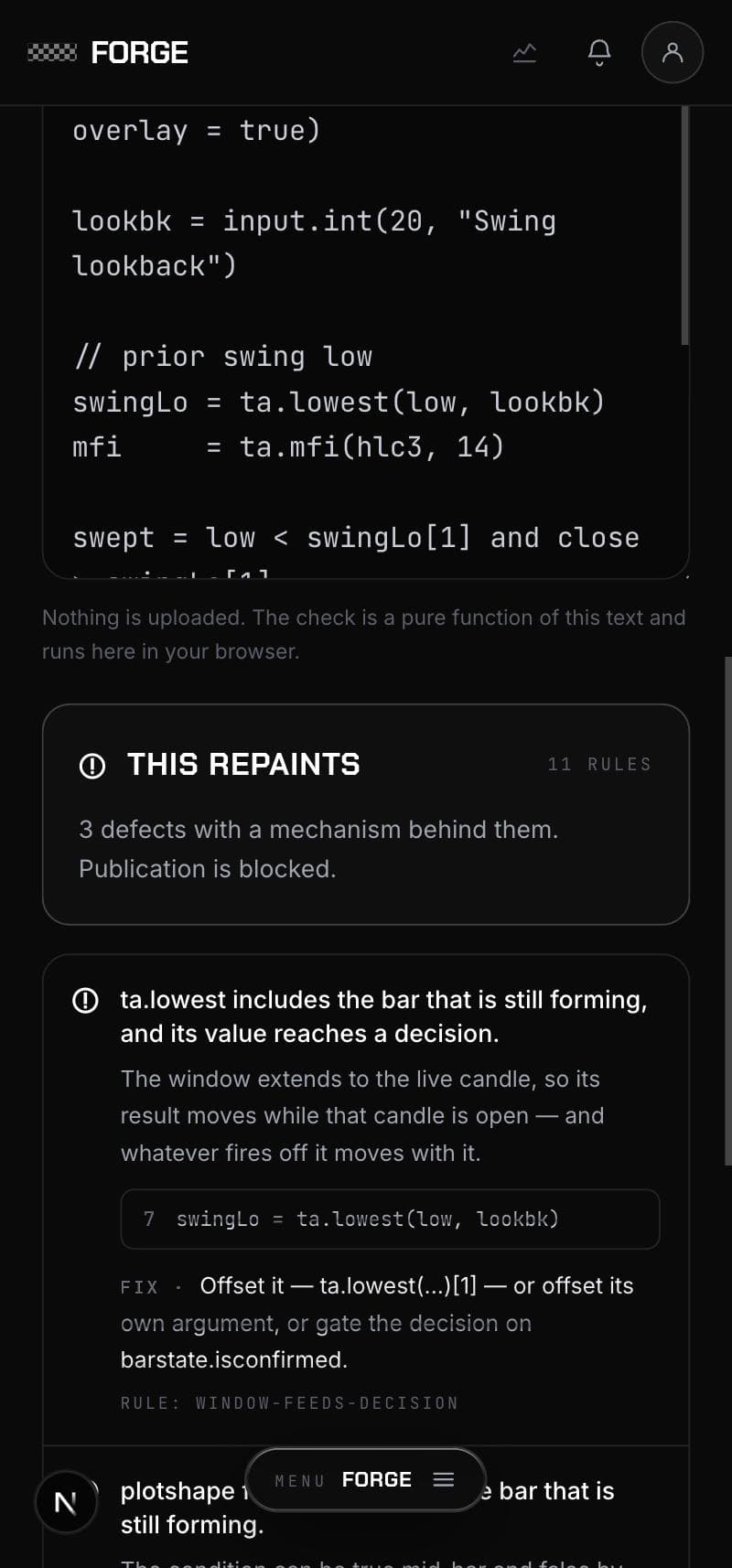
Eleven rules, in your browser, costing nothing. Each finding names the mechanism, the line it is on and the fix — and the verdict says how many rules ran and how many things they could not see, because a clean answer that hid its blind spots would be worth less than none.
Step 05
Search, filter by what an indicator is for, and open any of them to read what it computes, the signals to look for, and the inputs you will end up changing. No account needed to read.
A repainting script redraws its own history once the bar closes, so its backtest is a lie and its alerts fire on candles that later look different. It is the most common defect in indicators sold anywhere and almost nobody checks. Put every script through this gate before you run it.
Validation gate
3 findings · blockedta.lowest includes the bar that is still forming, and its value reaches a decision.
The window extends to the live candle, so its result moves while that candle is open — and whatever fires off it moves with it.
7swingLo = ta.lowest(low, lookbk)
plotshape fires on data from the bar that is still forming.
The condition can be true mid-bar and false by the close, so the marker appears, moves and disappears.
13plotshape(setup, style = shape.triangleup, …)
alertcondition fires on data from the bar that is still forming.
Same condition, and by then the alert has already gone out.
14alertcondition(setup, "Sweep reclaimed")
11 rules ran · 3 things it could not see
A failing gate blocks publication, not the view. Read the script and argue with the check — but a script the rules cannot resolve is blocked exactly like one that repaints, because unknown is not clean.
Anyone can generate Pine. What is hard is knowing whether the thing you generated is honest — and that question has a mechanical answer, which means it can be checked every single time instead of trusted.
The gate is a rule engine, not a Pine compiler. Every report carries a list of what it could not see, and a clean verdict says what it really means: these rules found nothing. That is the absence of the defects we know how to look for, not a proof.
On a phone
Nobody uploads a screenshot on a phone — they share it. So the share sheet is the front door, and the phone is the primary surface rather than a shrunk-down desk.
NEO appears in the share sheet for images, so a chart screenshot goes straight into a read. No upload step, no file picker, no second app.
Or photograph a screen: live preview, corner brackets to square the chart against, and a review step before anything is sent.
No address bar, no tab strip. Our own black splash on launch instead of the white flash a web app gives you.
A read you already opened still opens with no connection — the three doors are cached on install, so the app paints before the network answers.
Long-press the icon: read a chart, open the Forge, jump to the library. Three, because one slot belongs to the app itself.
Checking a script for repaint is a pure function of its text, so it needs no connection and costs no credit. Paste Pine on a train and get the verdict.
Pricing
Browse the library
200 credits
The scanner desk
billed annually · €276/yr
1,200 credits / mo
Read and forge
billed annually · €660/yr
2,500 credits / mo
The largest grant
billed annually · €948/yr
Founding rate — locked while you stay
7,000 credits / mo
Pay as you go
One-time top-ups, no subscription. Credits never expire while your plan is active. Bigger packs, better rate.
Spark
1,000
credits
Boost
3,500
credits
Surge
10,000
credits
Quantum
25,000
credits
Stated here rather than discovered later.
The library is open to read without an account. Reads and the Forge come with a plan.